
19/10/2026 09:34
From Cup Preview to Product Details: Telegram Stories for Cambodian Ceramic Shops

A short view of a handmade cup can attract attention while leaving the buyer’s practical questions unanswered. How large is it? Does the pictured glaze match the piece available today? Where can someone collect it? For a Cambodian ceramics shop, a useful Telegram Story should give viewers a reason to open reliable product information and ask a specific question. This workflow connects a daily preview with a channel post, a staffed enquiry route and a closing review. It also explains a crucial distinction for SMM panel customers: adding channel members is not the same as receiving Telegram boosts, unlocking Stories or reaching Cambodian buyers.
1. Choose a product question worth showing
Start with something a moving image or close photograph can explain better than a sales slogan. A cup’s handle clearance, the texture of its glaze or its appearance beside a matching bowl can make a useful preview. Choose one question per story so the viewer understands what to inspect. A general sweep across every shelf asks people to identify the product and guess why it matters.
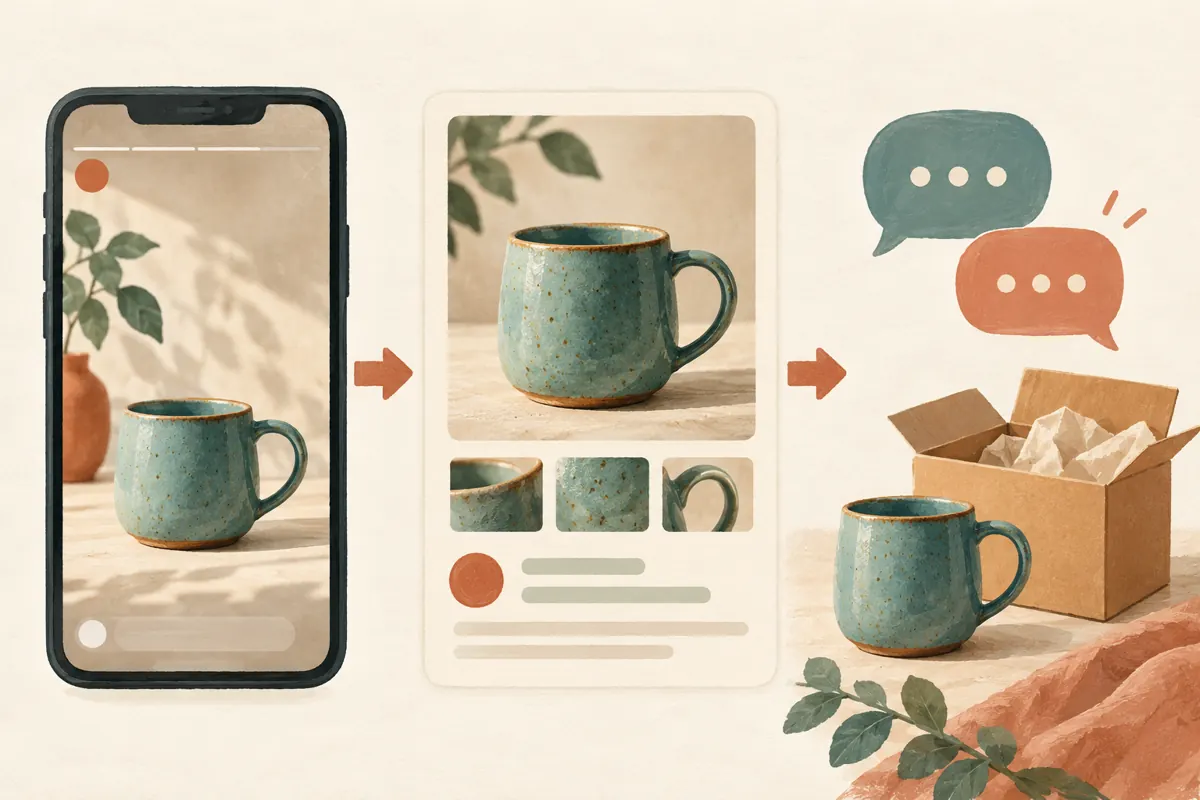
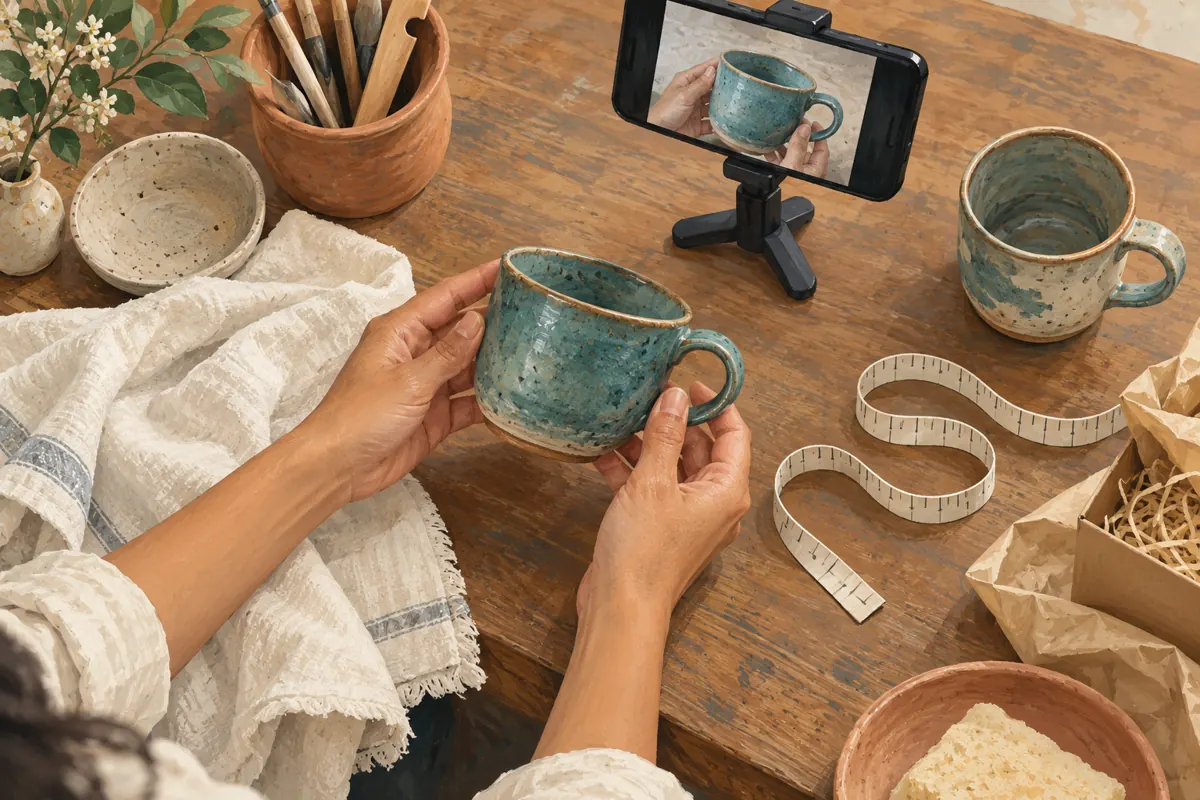
Consider a hypothetical ceramics shop in Phnom Penh preparing a daily preview of a blue cup. Customers have asked whether its handle is comfortable to hold. The shop films an adult hand lifting and turning the cup, then directs viewers to its product post for measurements and availability. This is an illustrative workflow, not a customer case study or a claim that Stories generate sales.
2. Check channel eligibility before planning the routine
Telegram’s Premium FAQ explains that channels gain features through boosts and that the boosts needed to level up depend on subscriber count. Check the channel’s current level and available story allowance in its settings before promising a daily series. The FAQ gives this route: Channel’s Profile > Channel Settings > Statistics and Boosts > Boosts. Use the information displayed for your channel rather than a universal threshold. Source: https://telegram.org/faq_premium
Telegram’s channel Stories announcement says that posting requires an eligible channel and an administrator with the relevant rights and Telegram Premium. Check the posting identity as well: a staff member should confirm that the preview will appear as the intended shop channel. If the feature is unavailable, use an ordinary product post while resolving eligibility. Preparing good product information remains useful without Stories. Source: https://telegram.org/blog/channel-stories
3. Build the detailed product post first
Prepare a channel post that answers the questions the preview deliberately leaves open. Include a recognizable product name or reference, verified dimensions, the price with its currency clearly identified, what the price includes and the method for checking availability. If a saucer appears in the photograph but is sold separately, say so. Explain whether the photographed piece is the exact item offered or an example of a handmade range.
For Cambodian customers, make collection and delivery information practical. Identify the collection area and explain how to request delivery details without promising nationwide coverage unless the shop actually provides it. State who confirms stock and what happens before a reservation becomes valid. A viewer should be able to open this post later and understand the offer without remembering the story.
4. Film evidence the customer can interpret
Use the actual product and ordinary lighting that shows its colour honestly. Turn the cup slowly enough to reveal the handle, rim and interior. Keep unrelated packaging, personal messages and customer paperwork outside the frame. Avoid filters that make a muted glaze look dramatically brighter. If the appearance varies between pieces, show that variation or describe it in the detailed post.
Do not turn a simple demonstration into an unsupported product claim. Holding a cup does not establish heat resistance, food safety or dishwasher suitability. Include those claims only when the shop has reliable product information supporting them. In the hypothetical handle preview, the hand provides visual context, while verified measurements provide a firmer basis for comparison. Viewers’ hands and preferences will differ.
5. Connect the preview to one clear destination
Telegram documents a way to share a channel message into a story: tap the message’s share arrow and choose Repost to Story. The resulting message copy lets viewers open the original channel post. When that option is available in your intended posting context, use it to connect the preview with the prepared product information. Check the destination before sharing. Source: https://telegram.org/blog/posts-in-stories-and-more
Keep the instruction short and specific, such as asking viewers to open the product post for dimensions and collection details. Do not crowd the preview with several competing requests to join, forward, react and order. A colleague should test the actual route from a normal viewer’s perspective. If the intended sharing option is missing, avoid publishing a visual that merely resembles a working link.
6. Write for the people who will enquire
Use the language your customers need for the preview and its destination. A shop serving Khmer-speaking buyers should make the key product explanation available in Khmer; English can supplement it when useful. Keep the same product reference across languages so staff can identify the item. Do not leave the price conditions or collection instructions understandable only to part of the audience.
A daily preview also needs a clear time context. Prefer a specific date over an unexplained statement such as ‘available today’ when the information may be encountered later. Choose a publication time when someone can answer enquiries, and make any response window realistic. A beautiful evening story can create avoidable frustration if it implies immediate assistance while the shop is closed.
7. Give enquiries a manageable next step
Name a contact route in the product post that the shop actually monitors. Ask customers to send the product reference and the question they need answered. Do not require an address, payment screenshot or other private information merely to ask about a cup. Gather delivery details privately only when they become necessary for the transaction.
Prepare a short response sequence for staff: identify the item, answer the question, check current availability, then explain the next step. In the hypothetical example, someone asking about the handle receives the measurements and an offer to inspect the available piece. Staff should not treat a reaction, view or casual message as a confirmed reservation. Explain the shop’s actual reservation process before setting stock aside.
8. Decide whether an SMM service fits this task
The supplied jak-follow.com catalogue includes the exact public service name “Telegram Members ~ Max 1M ~ 50k/days ~ Instant ~ 𝐍𝐎 𝗥𝗘𝗙𝗜𝗟𝗟”. Its description field is empty. The title identifies a member service, but it does not establish story posting access, boosts, local audience relevance or product enquiries. Treat the quantities and timing in that title as catalogue wording requiring clarification, not verified delivery promises.
Ask what problem you are trying to solve. If Stories are unavailable, investigate Telegram’s eligibility requirements. If buyers cannot find dimensions, improve the product post. If messages go unanswered, assign staff coverage. A member order does not resolve those problems. Purchased engagement is not evidence of genuine interest, sales, ad delivery or Cambodian users, and it should never be presented as customer endorsement.
For this particular workflow, there is no demonstrated need to purchase members. If a separate service request is still being considered, obtain its current terms and check the platform rules that apply before committing funds. Keep the request separate from the story experiment. Nothing in the supplied service data establishes an official relationship with Telegram or an available service for promoting these Stories.
9. Review information while the preview is active
Assign someone to check whether the story and product post still describe what the shop can supply. If the pictured piece becomes unavailable, update the destination information and review whether the preview should remain visible. Do not assume that changing one item automatically changes every other surface. Inspect what viewers can actually see, especially when the preview includes a dated availability statement.
At closing time, check unresolved enquiries, reservation notes and any promises made in messages. For the hypothetical shop, a customer may still be deciding between two handmade pieces. Preserve the relevant product reference in the conversation so the next staff member can identify the choice. Avoid silently substituting a different glaze because the preview showed only a general style.
10. Learn from the workflow without inventing attribution
Review whether the preview helped customers ask more specific questions. Keep brief notes about recurring confusion: missing dimensions, unclear set contents, an inaccessible destination or uncertainty about pickup. Where a customer voluntarily says they came from the story, record that as their stated source. Otherwise, leave the source unknown rather than assigning every subsequent enquiry to the preview.
Compare the effort required with the usefulness of the conversations. A story that creates repeated clarification work may need a better destination post. A preview that is easy to produce and explains one difficult product detail may deserve another trial. Change one aspect at a time, such as the camera angle or closing instruction, so the team can interpret the next round of feedback.
Common mistakes include publishing before the destination is ready, using an attractive sample that differs from available stock, forgetting the posting identity and treating member growth as proof of local demand. A practical stop rule helps: pause the next preview if the product details cannot be verified or nobody can handle enquiries. Resume when the customer’s next step is dependable.
Frequently asked questions
Will buying Telegram members unlock channel Stories?
Do not assume it will. Telegram describes boosts as the mechanism for unlocking channel features, and its FAQ says boost requirements depend on subscriber count. The supplied member service has no description confirming boosts or Stories eligibility. Check the channel’s own status rather than treating an increased member count as feature access.
Should a small Cambodian shop pay for Premium just for this workflow?
First decide whether the shop has a repeatable visual use for Stories and someone to manage the resulting enquiries. Then check channel eligibility and the relevant administrator requirements. Paying for an administrator’s subscription alone should not be assumed to satisfy every channel requirement. An ordinary product post is a workable starting point.
Can the story contain all the ordering information?
It can show essential context, but a dense preview is difficult to inspect quickly. Put the detailed product information and contact instructions in a clear destination post. Keep anything necessary to interpret the preview honestly visible, including whether the image is a sample. Do not hide a material limitation behind an invitation to message.
What if viewers react but nobody asks about the product?
Reactions alone do not tell you whether viewers understood the offer, needed the product or could collect it. Check the destination, the clarity of the invitation and the information customers need before enquiring. Avoid responding by purchasing more engagement and then describing the larger count as stronger demand. The available evidence may simply be inconclusive.
How should the shop handle a screenshot of an old preview?
Use the product reference and date to establish what the customer saw, then explain current availability and terms. Do not blame them for encountering an older image. A dated preview and an updated product post make this conversation easier. Confirm any replacement piece explicitly, especially when handmade colours or patterns vary.
Explore the current service catalogue, create an account, or ask a specific question through support tickets.
- Telegram Premium FAQ — Premium Features for Channels
- Telegram — Stories in Channels, View-Once Media and More
- Telegram — Channel Appearance, Posts in Stories and More
Prepared with AI assistance. Illustrations explain the workflow and do not represent customer results.