
22/10/2026 05:52
Plays on YouTube, Fails on Your Website? Embed Checks for Cambodian Basket-Weaving Workshops

A basket-weaving demonstration can help someone decide whether a workshop suits their experience, interests and available time. But a video that works on YouTube may still fail inside the workshop’s website. If a social post sends visitors to that page, the interruption happens exactly where they expect useful information. Before spending money on promotion or considering an SMM panel service, test the complete route from the social post to the demonstration and then to an enquiry. This guide uses a hypothetical Cambodian basket-weaving workshop to explain how to check that route, handle playback problems and evaluate results without treating a view counter as evidence of bookings.
1. Decide what the embedded demonstration must explain
Begin with a question a prospective participant needs answered. For a beginner basket-weaving session, that might be whether participants start with prepared strips, weave the base themselves or receive help finishing the rim. Choose one demonstration that makes the answer visible. A beautiful montage can introduce the atmosphere, but it may leave the practical question unresolved.
In a hypothetical Phnom Penh workshop, the owner wants to show how a tutor guides the first crossing of the strips. The website places that demonstration beside a short explanation of what beginners will practise. The social preview promises the same lesson. This gives the visitor a clear reason to press play and gives the team something concrete to test: can a newcomer identify the activity and understand the level of assistance? Establish that purpose before choosing promotional services or judging whether the video needs more exposure.
2. Map the route from social preview to enquiry
Write down the three destinations involved: the social post, the workshop webpage and the YouTube watch page. Keep their addresses separate in the campaign notes. The website address belongs in a post inviting people to review workshop details; the YouTube address identifies the actual video. Confusing them can send visitors somewhere different from what the caption promises.
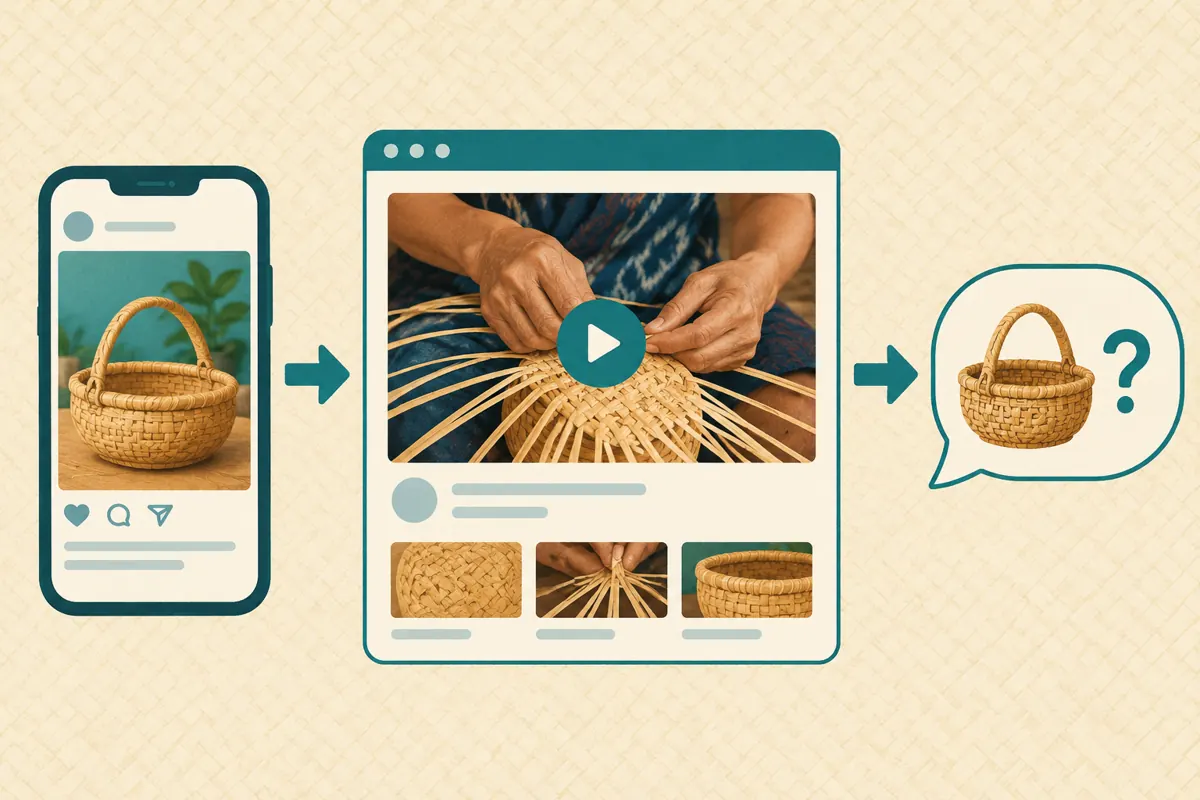
Build a simple visitor route: see the preview, open the workshop page, watch the relevant demonstration and find the enquiry option. Place essential information near that route, including the teaching language, venue area, materials supplied and how to ask about availability. State only confirmed arrangements. For Cambodian readers, give practical location information that distinguishes the teaching venue from a shop or collection point. If English-speaking visitors are also welcome, explain the available teaching support accurately rather than assuming an English webpage means every session is taught in English.
3. Confirm the video and embedding permission
YouTube’s official Embed videos & playlists guide explains that, on a computer, the Share menu provides an Embed option and code for a website. For an owned upload, the Allow embedding setting is under YouTube Studio, Content, the video’s Details and Show more. Have the channel owner check that permission and save any intended change. The website editor can then use the approved video in the site’s supported video component.
Before handing anything over, compare the basket, tutor and opening scene with the approved demonstration. Similar filenames and thumbnails can conceal an older version showing a different project. Record the video title and address alongside a plain description such as beginner base-weaving demonstration. Ask the editor to return the completed page address for review. A message saying the video was added is insufficient evidence that the right upload appears in the right place or works for a visitor.
4. Review the page as a mobile visitor
Open the actual visitor page on a phone, rather than relying on the website editor’s preview. Follow the same social link intended for the campaign. Check whether the demonstration is easy to find, whether the play control is visible and whether nearby buttons remain usable. Try the route in the ordinary phone browser and, where relevant, the browser opened by the social app.
Watch enough of the demonstration to judge the weaving action. Can you distinguish the strip passing over from the one passing under? Can you pause without covering the crucial movement? Check the explanation with sound available and with sound muted. If spoken instructions carry an essential distinction, provide a reviewed written explanation nearby. Test on the connection you normally use and, if practical, another connection. Record what happened without turning one successful test into a promise that every Cambodian visitor will have the same experience.
5. Separate a playback fault from a content problem
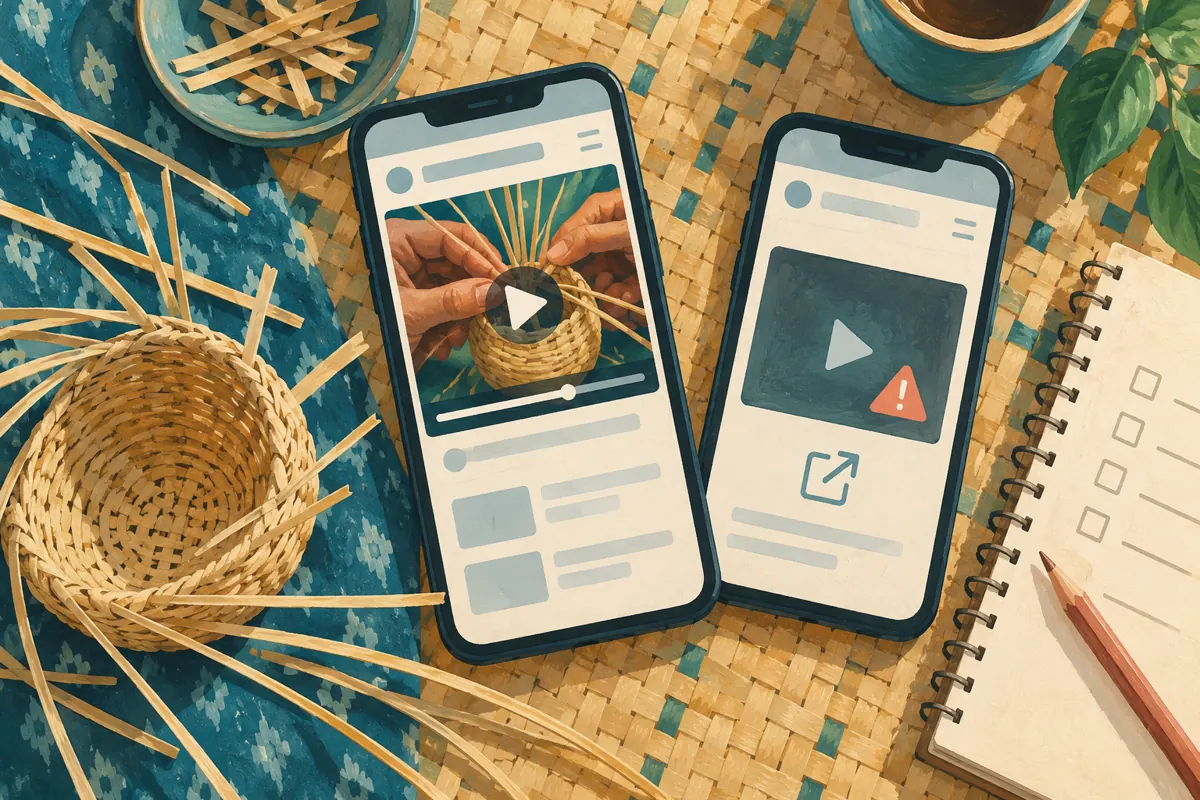
When playback fails, record the exact message before changing anything. YouTube’s embedding guide says error 153 can occur when the required HTTP Referer information is missing; this belongs with the website maintainer. It also notes that age-restricted videos cannot play on most third-party websites. These are different issues from an unclear demonstration or the wrong upload.
Give the maintainer the page address, video address, device, browser, approximate test time and visible error. Explain whether the same video opens directly on YouTube. A useful hypothetical report is: the workshop page displays a player error on this phone, while the direct YouTube link opens the intended weaving demonstration. Avoid sending passwords or unrelated customer conversations. Change one relevant item at a time and repeat the failed route afterward. This keeps troubleshooting focused and prevents the team from replacing a good video merely because the surrounding webpage needs attention.
6. Provide a useful fallback beside the player
Add a clearly described direct YouTube link near the embedded demonstration, such as Watch the beginner weaving demonstration on YouTube. Also include a short written account of what the clip explains. Someone should still understand the purpose of the session if they cannot play the video immediately. Keep the enquiry route visible without requiring playback first.
For the hypothetical workshop, the written account could explain that the tutor demonstrates the initial crossing, checks the learner’s arrangement and then helps them continue the base. Use that wording only if it matches the actual session. Avoid making the fallback a second sales pitch packed with urgency. Its job is to preserve understanding when playback is inconvenient. Test the link itself and confirm that returning to the workshop information is straightforward. A fallback reduces dependence on one player; it does not establish that every underlying playback restriction has been resolved.
7. Keep player choices tied to the lesson
Ask the website editor to preserve clear playback controls and give the demonstration enough space. YouTube’s player documentation specifies a minimum player viewport of 200 by 200 pixels, but a technical minimum is not a practical readability target for fine weaving. Review the actual layout with the tutor and judge whether the hands and materials remain understandable.
Prefer a deliberate press of the play button for this workflow. It lets visitors choose when to watch and makes the review task easy to explain. Do not cover the player with a booking banner or design an unrelated button that accidentally starts the video. If the page contains several clips, identify each by its teaching purpose instead of repeating generic video headings. Ask a colleague unfamiliar with the page to locate the beginner demonstration. Their hesitation can reveal a navigation problem that the person who built the page has stopped noticing.
8. Evaluate SMM services without confusing them with repairs
The supplied jak-follow.com catalogue includes the exact public name “YouTube Unique Views - [PMV™ - Pure Mobile Views] ~ For Videos without Ads ~ 1k-10k/day ~ Instant ~ 𝗥𝗘𝗙𝗜𝗟𝗟 90D”. Its title presents a video-view offering, but the supplied description is empty. The wording does not independently verify its delivery method, audience, timing or refill terms. It provides no basis for claiming that Cambodian learners will visit the workshop page.
A view service cannot repair embedding permission, a website error or an explanation that omits what participants will make. YouTube’s Fake engagement policy prohibits artificial increases in engagement and warns that a hired promoter’s actions can affect the channel. Reject methods that artificially inflate metrics. Purchased engagement is not evidence of genuine interest, sales, ad delivery or Cambodian users. If evaluating any promotion provider, ask how people encounter the content and whether viewing is voluntary. An unclear answer is a reason to withhold an order, not to substitute catalogue language for evidence.
9. Measure enquiries separately from playback checks
Maintain two short records. The technical record states whether the page opened, the intended clip played and the enquiry option worked during testing. The business record captures genuine questions about the workshop, such as teaching language, suitable experience or available sessions. Keep personal details out of shared editorial notes unless they are needed for the work.
A successful playback test means the tested route worked under those conditions. It does not mean the visitor understood the lesson or wanted a place. Likewise, an enquiry is not a confirmed booking. In a hypothetical review, repeated questions about supplied materials suggest that the page needs a clearer materials explanation. They do not automatically show that promotion reached the wrong audience. Use the substance of questions to improve information. Evaluate confirmed bookings from the workshop’s own booking records, and avoid attributing them to a particular video when the evidence only shows that several promotional activities occurred.
10. Release promotion with a clear maintenance owner
Before sharing the page widely, assign one person to confirm workshop details and another, if needed, to handle website faults. Keep a small handover note containing the approved page, video, enquiry destination and review date. This is especially useful when the tutor manages classes while another person prepares social content.
Common mistakes include testing only while signed in as an editor, approving the thumbnail without playing the clip, hiding practical details below a large video and assuming an increasing counter means the page works. Another is updating the session description while leaving a demonstration that promises a different activity. Repeat the visitor check after replacing the video or substantially changing the page layout. If a serious fault appears during promotion, correct the destination or pause the affected message until the route is usable. Spend the next available effort on the specific obstacle that prevents a prospective learner from making an informed enquiry.

Frequently asked questions
Should our social post link directly to YouTube or to the workshop page?
Choose according to the promise in the post. If it invites people to inspect the lesson and workshop arrangements together, use the tested workshop page. If it simply offers a demonstration, a direct video link may be clearer. Avoid sending people through an extra page that adds no useful information.
Does successful playback on the owner's laptop prove the embed is ready?
No. It confirms one test environment. Review the actual visitor page on a phone and follow the intended social link. Check the demonstration and enquiry route together. Record any limitations, particularly if you could not test the browser or device type that prompted an earlier complaint.
Should we upload another copy whenever the embedded player fails?
Diagnose the failure first. If the approved video opens directly but fails on the website, investigate the page implementation and embedding settings. A replacement upload creates another reference to manage and may leave the same website problem unresolved. Replace content when there is a content reason to do so.
Can a panel order help us verify that the booking page works?
An order is not a usability test. Ask a colleague to follow a defined visitor task and explain where they become confused. Check real enquiries separately. Delivery records or changes in engagement counters cannot establish that someone watched the relevant instruction, understood the workshop or intended to attend.
What should we do when the video works but beginners still ask basic questions?
Review the questions for missing decisions. People may understand the weaving step while still needing to know whether materials are included or whether they can attend without experience. Add those answers beside the demonstration and adjust the social promise if necessary. More playback alone will not supply missing information.
Explore the current service catalogue, create an account, or ask a specific question through support tickets.
- YouTube Help: Embed videos & playlists
- Google for Developers: YouTube Embedded Players and Player Parameters
- YouTube Help: Fake engagement policy
Prepared with AI assistance. Illustrations explain the workflow and do not represent customer results.